7-day free trial — early access
Clock-in telemetry and one-click SOP capture.
NowStack AI records the shift and the procedure: clock-in with idle telemetry, Chrome SOP capture compiled to markdown for Command Center review, and meeting transcription from a Chrome tab.
Last updated: September 20, 2026
Clock in on the live product. 7-day free trial • Stripe collects a payment method • Cancel before day 8.
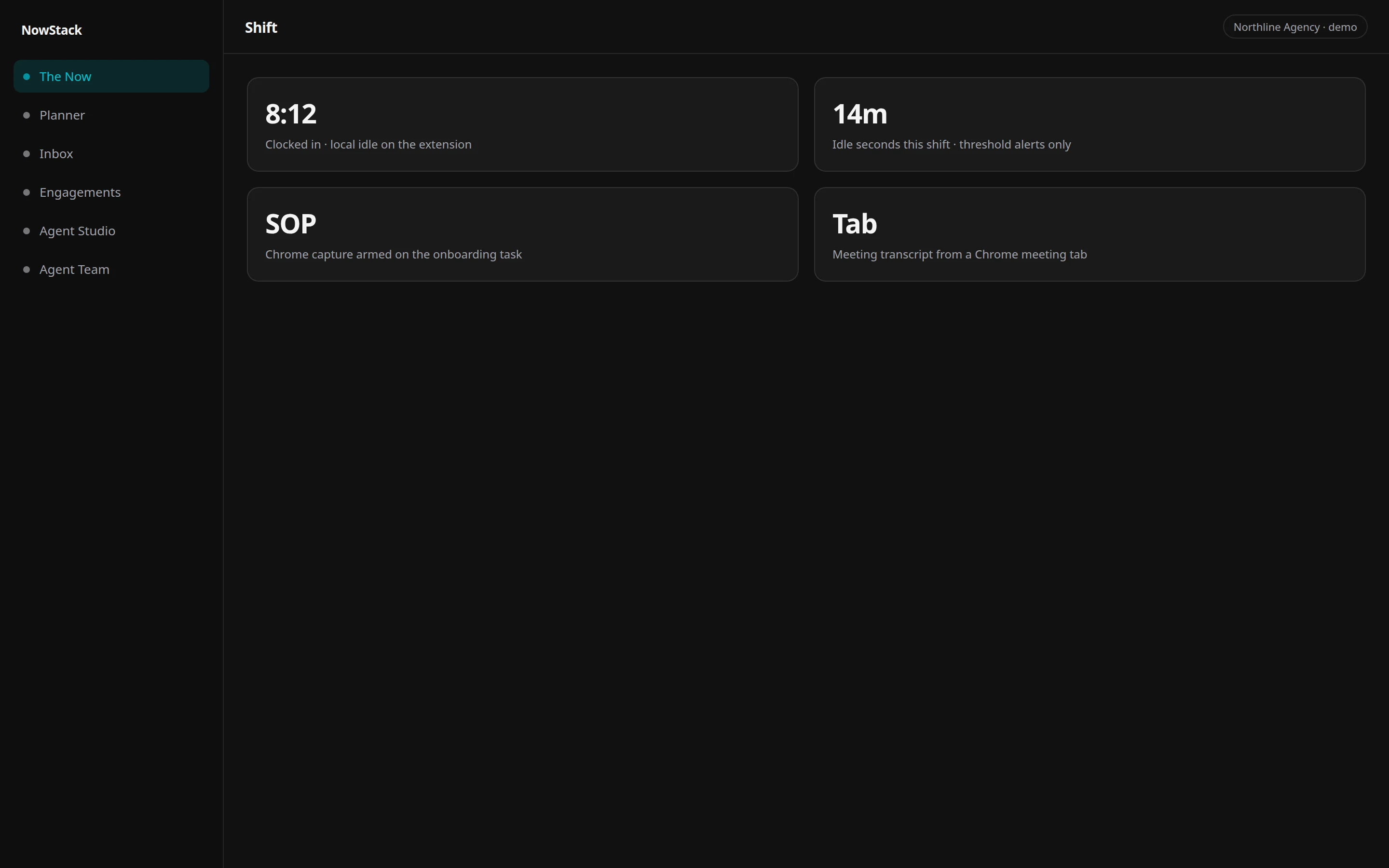
NowStack AI remote workforce tools cover clock-in with idle telemetry, Chrome SOP recording that compiles to markdown for Command Center review, and meeting transcription from a Chrome meeting tab. Capture is armed, not ambient. Attendance is a shift record, not a screenshot dump of the workday.
The shift, the procedure, and the call are three different stories.
Time trackers want screenshots. Wikis want someone to write the SOP after the fact. Meeting tools want a separate recorder. Ops still cannot answer a simple set: were they clocked in, what did they actually do, and what was said.
Random screenshots are not a procedure. A wiki page nobody updates is not capture. A desktop meeting window is not a Chrome tab.
Arm capture on a task. Record the shift. Transcribe the meeting tab. Review in Command Center.
How it works
01
Clock in
Shift record starts. Idle accumulates locally. Threshold alerts can land in Command Center. You clock out. That is attendance telemetry, not a live spy feed.
02
Arm SOP capture on a task
Work the procedure in Chrome. NowStack compiles markdown (click path plus a screenshot per step) and opens a Command Center review card.
03
Transcribe the meeting tab
On a Chrome meeting tab, start capture from the NowStack toolbar. Audio uploads. The transcript lands in the OS for triage.
How does clock-in telemetry work?
Clock-in starts a shift record: in time, out time, and idle seconds. Idle accumulates locally in the Chrome extension. Command Center gets threshold alerts, not a live keystroke feed. Presence anomalies can land as cards. You set idle thresholds in account settings.
This is attendance for the operations OS. It is not a standalone time-tracker product, and it is not ambient surveillance of every tab.
Clock-in is a shift you start. Installing the extension does not start tracking. Working in NowStack does not start tracking.
- Clock in / clock out as a shift
- Idle seconds, thresholds you set
- Alerts in Command Center, not a screenshot reel
- Exception reporting, not a heartbeat of the whole day
How do I capture an SOP in Chrome?
SOP capture is armed on a task. The Chrome extension records the click path and a screenshot per step, then compiles markdown and opens a Command Center review card. That is a procedure artifact, not a random screenshot roll, and not a pipeline that turns SOPs into specialist skills.
“One-click” in the headline is the capture control, not a promise that a whole operations manual writes itself. You arm it, you do the work, you review the markdown in Command Center.
The SOP links back to the task. It lives with Blueprints. A person still reads it.
- Arm Record SOP on the task
- Step path plus per-step screenshot
- Markdown SOP for review
- HITL card in Command Center, not silent save as skills
Can I transcribe video meetings?
On a Chrome meeting tab, start capture from the NowStack toolbar (or the keyboard shortcut). Audio uploads, then transcription lands in the OS for triage. Desktop meeting apps cannot be recorded. Joining a call does not start capture. You invoke it.
The in-page overlay can stop a recording. It cannot legally start one. Keep a NowStack tab open so upload tokens work.
Meeting triage can become tasks after a human yes. That is still HITL, not a bot that emails the customer the transcript.
- Chrome meeting tab only
- Toolbar / shortcut starts capture
- Transcript into the OS
- Desktop apps: out of scope
How it compares
| Job | NowStack AI | Typical time tracker | SOP wiki |
|---|---|---|---|
| Clock-in + idle | Shift record, local idle, Command Center alerts | Hours, often screenshot reels | None |
| Procedure capture | Armed Chrome SOP to markdown plus HITL | Screenshots without a procedure | Write it after, if anyone does |
| Meeting transcript | Chrome meeting tab | A separate recorder | None |
| Turn SOP into agent skills | No | No | No |
| Live worker surveillance | No. You clock in. Alerts on thresholds. | Sometimes always-on shots | No |
Questions
Clock in on the live workspace.
Seven days on the real product: attendance, Chrome SOP capture, meeting tab transcription, Command Center. Stripe Checkout collects a payment method. $0 for 7 days. Cancel before day 8 or Stripe charges the price shown at checkout.